Task
Master
Task
Master
Task
Master
Task
Master
What is Task
Master?
Piece of work assigned to person is nothing but the task. Using the Task Manager, you can automate routine tasks that need to be performed at regular intervals, such as archiving documents and checking documents in to the repository at the end of the day or day by day.
What is the use of Task
Master?
Task management is the process of managing a task through its life cycle. It involves planning, tracking, and reporting. Task management can help either individual achieve goals, or groups of individuals collaborate and share knowledge for the accomplishment of collective goals.
Summary:
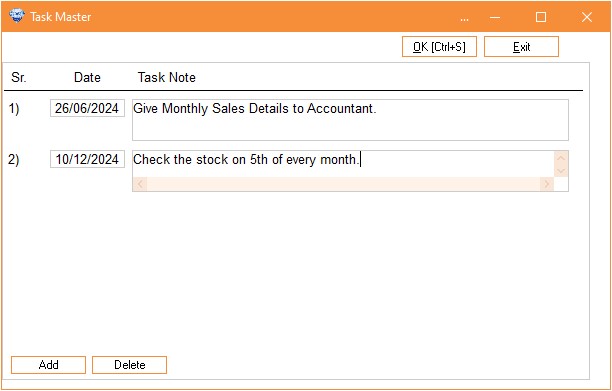
Create a task note in task master. Then assign a task to respective person. Select a task note .Then enter the date on which date you want to remind the task note message to respective person. The person will login into the account. After login immediately show the popup task reminder message on your screen. Person will perform the task. After performing task person will change the task status as completed and then save the task.
In task master you can create a Task Not.
How to create a Task Note in Task Master
1. Click on Master Tab
2. Then click on Task Master
3. To add a Task Note Click on Add button.
4. Enter date on which date you want to remind the task.
5. Enter task note detail.
6. Click on OK to save the note.