

 Log in
Log in
Log in
Secure Cloud-Based Software Access
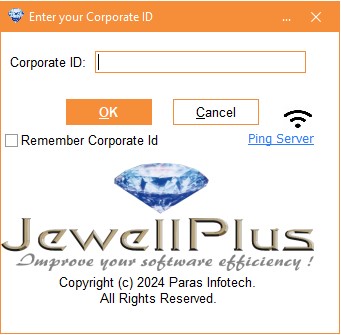
To access our cloud-based software, simply enter your unique Corporate ID, assigned to your organization upon purchase. This ensures secure authentication and authorization. Your Corporate ID, paired with your customer ID, grants seamless access to our innovative solution. Note that initial use on a new computer requires one-time device registration, as our licensing model allows simultaneous usage on a specified number of computers, determined by your purchased licenses.
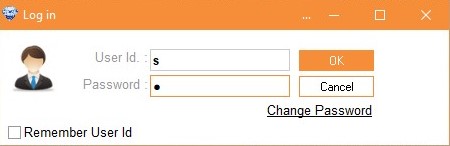
The default user ID and password for the software are both set to "s". You can change your password from this screen. You can also change the password of the user by clicking on Change Password button.
When you click on Change Password button it will show you New Password and Verify New Password columns where you have to enter the new password in both fieds. Please note that to change the password you need to enter you old password in the Password column. Then and then only you can change the password.
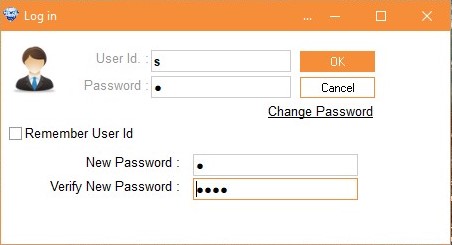
Do not change your password until you are familiar with using the software.To change your password, click the "Change Password" button, enter your new password, and then re-enter it in the "Verify Password" field.